
An AI Pokémon generator creates fake Pokémon characters using artificial intelligence. It turns your plain text description into a stylized creature that looks like it belongs in the official Pokémon universe. Dedicated AI Pokémon image generators
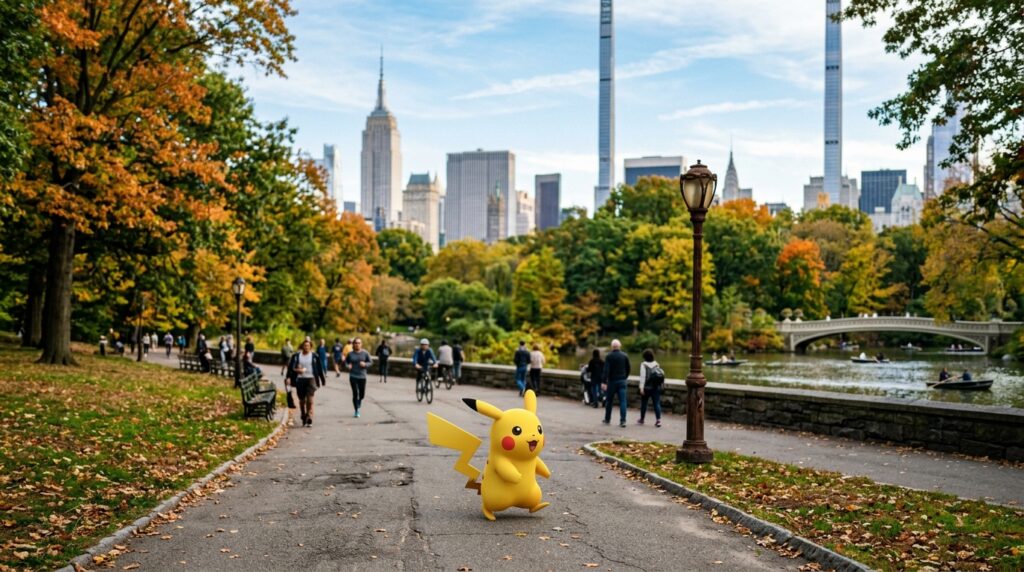
- WriteCream AI Pokémon Generator – Text‑to‑image tool that creates custom Pokémon characters from prompts, with basic style and type options.
- NokémonAI – Fakemon‑focused generator that lets you pick type, colors, and other traits, then outputs stylized 2D/3D‑like Pokémon images.
- Artguru AI Pokémon Maker – General text‑to‑image engine with a Pokémon‑oriented workflow; you describe the creature, and it returns multiple Fakemon‑style designs.
- SeaArt AI Pokémon Generator – lets you choose a Pokémon‑style model template and generate fakemon from text prompts, with many art styles.
- Dzine.ai Pokémon Generator – Simple Stable‑Diffusion‑based AI tool that creates Pokémon‑style characters from text prompts, hosted for free.
- Flux AI Pokémon Generator – Dedicated Pokémon‑style image generator that produces custom Fakemon from prompts, trained on various Pokémon art styles.
- Vondy AI Pokémon Generator – Web‑based tool for creating custom Pokémon‑style characters with attribute and theme options.
- Magic Hour Pokémon Generator – Generates random Pokémon‑style characters, names, and stats, aimed at game and fan‑art projects; no signup required.
- Phot.AI AI Pokémon Generator – Free online generator that creates cute, stylized Pokémon‑like characters from text prompts, in multiple effects (cinematic, 3D, steampunk, etc.).
- Chroma Studio AI Pokémon Generator – Upload a photo of yourself or a character and transform it into a Pokémon‑style cartoon avatar.
- Pixegami Pokémon‑card generator – A Python + Midjourney project that auto‑generates Pokémon cards (including art) from structured prompts; you run it locally or via API.
- TopMediai / Flixier / Flux AI workflows – These support Pokémon‑style image or short‑video generation when combined with AI‑art features (good for YouTube‑style “AI Pokémon” videos).
Table of Contents
How AI Pokémon generators work
AI Pokémon generators rely on text‑to‑image models. These models learn patterns from thousands of Pokémon‑style drawings. They understand how Pokémon shapes, colors, and poses usually look. When you type a prompt, the model matches your words to those patterns and draws something new.
You start by writing a short description. For example, ice fox with blue fur and sharp claws. Then you choose style options like 2D anime, 3D render, or chibi. The AI runs your text through its neural network and creates pixels that match those instructions. Finally, the tool shows you thumbnails you can enlarge or download.
Most tools let you adjust details after the first image. You can regenerate the same prompt to get a different version. You can change minor details like color scheme or pose using sliders or extra text boxes. Some platforms support image‑to‑image editing, so you can tweak an existing result until it looks right.
Training data matters. Tools trained on clean, stylized Pokémon art usually produce more consistent results. Tools trained on mixed or low‑quality data can create distorted eyes, messy limbs, or weird proportions. You can read more about how text‑to‑image models work on Hugging Face’s documentation.
Why creators use AI Pokémon generators
You can use AI Pokémon generators to build custom monsters for your own projects. If you run a small game studio or a tabletop RPG, you can flesh out your roster quickly. Instead of outsourcing art for every monster, you generate concepts in house and refine them later. This keeps your workflow lean and flexible.
Social media creators benefit especially. You can post “My custom Pokémon based on your horoscope sign” or “AI‑generated legendary Pokémon for your country”. These formats invite interaction. People ask for their own designs. You can then turn those requests into short‑format videos or carousels. Many creators share workflows and examples on platforms like ArtStation or DeviantArt to show how they combine AI art with manual editing.
Brand accounts can use AI Pokémon generators for seasonal campaigns. For example, a furniture brand might create a fire‑type Pokémon that looks like a sofa with wings. A food brand might make a water‑type drink‑cup monster. These characters help explain a product in a fun and memorable way. Brands often publish case studies on marketing blogs to show how AI‑generated mascots perform in campaigns.
For hobbyists, AI Pokémon generators lower the barrier to fan art. You no longer need to master anatomy, perspective, or shading. You can still explore your own lore and names. You can design evolutions, types, and habitats while the AI handles the visuals. You can see how amateurs approach this by browsing AI‑art communities linked from sites like Midjourney or Stable Diffusion.
Practical tips for better results
Use clear, specific prompts. Instead of a cute animal monster, use a small fox‑like creature, ice type, blue fur, glowing pale blue eyes, standing on a snowy rock. The more concrete details you include, the closer the AI gets to your vision.
Mention style and perspective. Add anime style, front view, full body, or top‑down pixel art where it fits. This helps the AI avoid unwanted camera angles or art styles. You can also specify no human features if you want a purely creature‑like design.
Limit your prompt to one main idea. If you try to combine too many traits at once, the AI may mix them poorly. Start with one monster, then create variants by changing a single trait per prompt. For example, new prompt with red fur instead of blue, same body structure.
Use image generation settings wisely. If the tool offers a “creativity” or “diversity” slider, keep it low for cleaner shapes. Use higher values only when you want more experimental looks. If you see repeated glitches, simplify the prompt or lower the randomness.
Generate multiple images per prompt. Most tools let you create four or more variants at once. Compare them quickly and pick the strongest one. Save it, then use it as a base for edits or branding instead of forcing weak results. You can learn more about effective prompting from community guides on sites like PromptHero.
How to use AI Pokémon art on social media
Turn your AI‑generated Pokémon into short‑format posts. Post a single monster with a short lore snippet. For example, this is Frostfang, ice fox that howls to summon blizzards. Add a clean background and large text so it works on mobile. You can study post formats on tools like Canva templates for social media.
Run themed series. Post a different AI‑generated Pokémon every day for a week. Keep the theme consistent, like urban Pokémon based on city objects or food‑type Pokémon. Series perform better than one‑off posts because people learn to expect them. How‑to guides for content series are often shared on platforms such as Later or Buffer.
Invite your audience to participate. Ask followers to suggest traits in the comments. Then pick one and generate a new Pokémon based on that suggestion. Tag the person who suggested it. This builds community and gives you ready‑made content ideas. You can see similar engagement tactics explained in marketing blogs linked from HubSpot.
Use AI Pokémon for Reels or TikTok. Show a slideshow of three or four evolutions of the same monster. Add simple transitions and minimal text. You can also show a side‑by‑side of your prompt and the final image to highlight how the AI interpreted your words. Tutorial channels on YouTube often cover how to structure short‑form videos for maximum reach.
Add small branding touches. Place your logo or handle in a consistent corner. Use a matching color overlay or frame so your Pokémon posts look like part of a series. This helps followers recognize your content even in a crowded feed. Branding strategies are discussed in detail on sites like Design Stripe.
Legal and ethical considerations
AI Pokémon generators often rely on copyrighted visual styles. You should not pass off AI‑generated Pokémon as official or claim them as Nintendo’s work. Instead, label them clearly as fan art or inspired by the Pokémon universe. You can read more about copyright and AI on guidance pages from organizations such as Creative Commons.
Do not sell direct copies of AI‑generated images as commercial products without checking the platform’s terms. Some tools ban monetization of outputs. Others allow limited use only. Read the rules before you print shirts, stickers, or NFTs. Many platforms publish their AI‑use policies on their own help centers or legal pages.
Give credit where credit is due. If you use a specific tool or model, mention it in a comment or caption. If you collaborate with an artist to refine an AI image, credit them as well. This keeps your work transparent and builds trust. Best practices for attribution are covered by organizations like the Open Source Initiative.
Limit reliance on AI for identity. Use AI Pokémon generators as a starting point, not your only creative engine. Refine designs by hand, add your own lore, and create rules for your own universe. This helps you stand out in a crowded space. You can learn more about building a creative brand on sites such as Skillshare or MasterClass.
Read More Like This.
Also read:
Leave a Reply